 LearnBreak
Screen time that teaches
Smart breaks for kids: short school quizzes pop up while they use the phone.
About LearnBreak
Turn screen time into learning time.
LearnBreak gently interrupts your child's phone use with a short quiz question. Answer it, learn something new, and carry on. No blocking, no arguing — just regular learning breaks built into the day.
Questions match the selected school grade — never harder than your child's level. Each wrong answer comes with an explanation, so mistakes become lessons. Questions are regularly updated and reviewed.
Screen time management that kids don't fight — because every break is a small win.
How it works
Set it up once in two minutes. LearnBreak runs quietly in the background.
You set the schedule
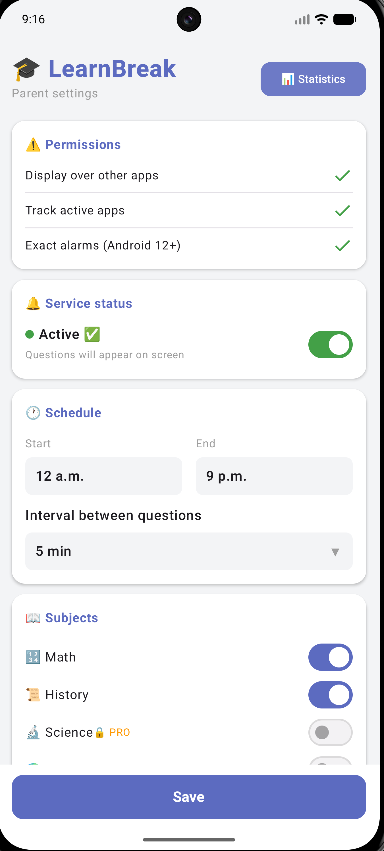
Choose active hours and how often questions appear — for example, every 20 minutes from 15:00 to 20:00.
A quiz pops up
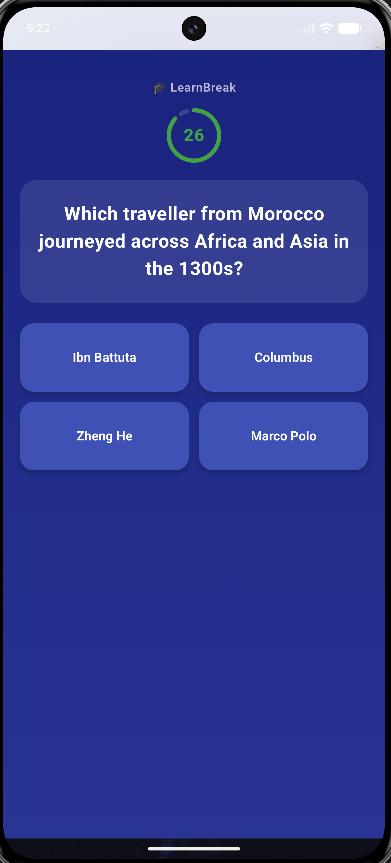
While your child plays games, watches videos or uses any other app, a short question appears on top.
Every answer teaches
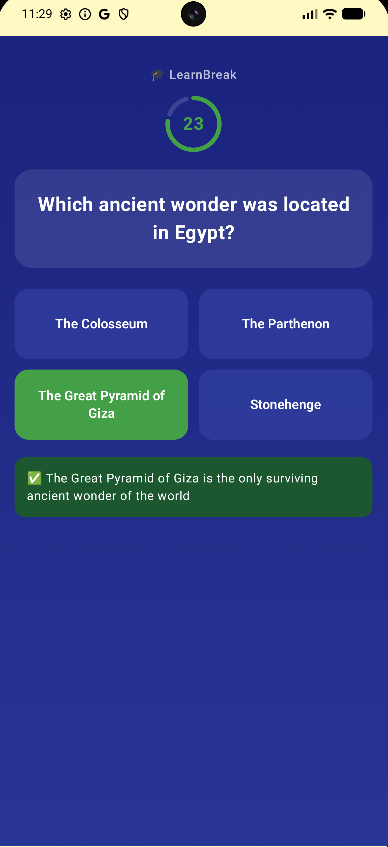
After answering, your child sees the correct answer with a short explanation — mistakes become lessons.
See it in action
Set it up once — LearnBreak runs quietly in the background.
Parental control
You stay in control, and your child keeps learning without a fight.
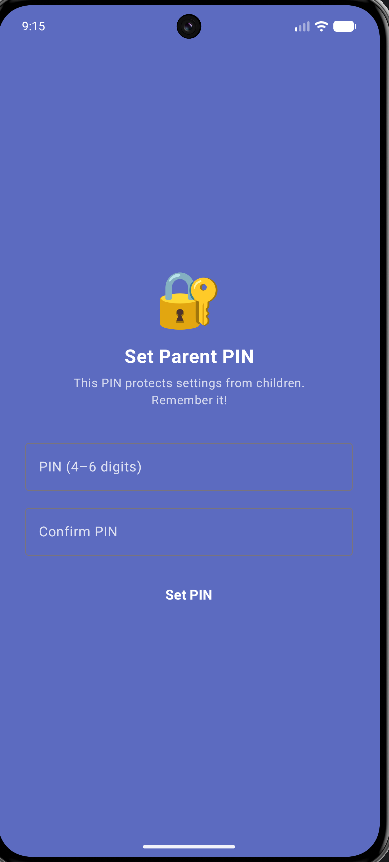
Parent PIN
Settings are protected with a parent PIN.
Schedule
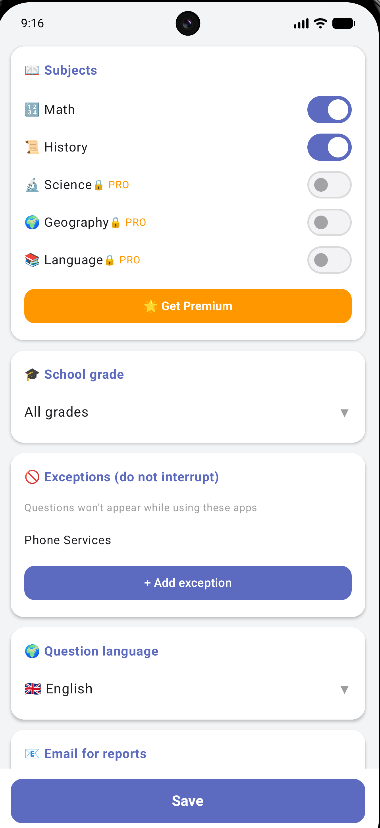
Choose active hours and how often questions appear.
Exceptions
Choose apps that should never be interrupted, for example calls or school apps.
Statistics
Statistics for today, this week and all time.
Email reports
Automatic email reports: daily, weekly or monthly.
Questions for grades 1–11
Questions follow the school curriculum and match the selected grade.
Math and History are free, in all 7 languages. LearnBreak Premium unlocks Science, Geography and Language.
Questions are available in 7 languages — great for learning in the native language or practising a foreign one.
Turn screen time into learning time.
Install LearnBreak, set a schedule, and let every break be a small win.
Get it on Google Play